XML Sitemaps: Best Practices for Large Websites
If your website has more than 10,000 pages, your XML sitemap strategy can make or break your SEO performance. I’ve...
If your website has more than 10,000 pages, your XML sitemap strategy can make or break your SEO performance. I’ve...
If your website has more than 10,000 pages, your XML sitemap strategy can make or break your SEO performance. I’ve seen large e-commerce sites with millions of products struggle to get indexed — not because their content was bad, but because their sitemaps were a mess.
When I audited a 500,000-page e-commerce site last year, only 23% of their product pages were indexed. The culprit? A single bloated sitemap with broken URLs, non-canonical pages, and no logical organization. After restructuring their XML sitemap architecture, indexed pages jumped to 78% within three months.
In this guide, I’ll share the exact best practices I use for large websites — the same strategies that help enterprise sites get their content discovered and indexed efficiently.
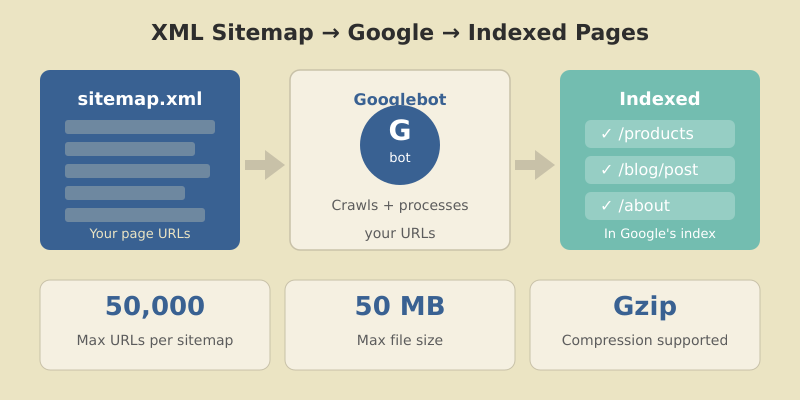
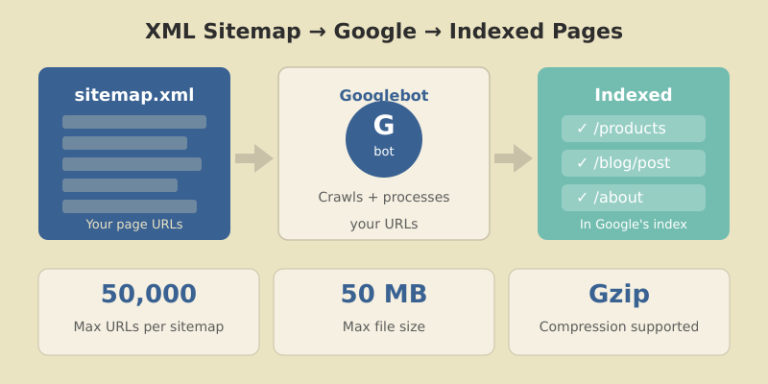
An XML sitemap is a file that lists all the important URLs on your website. It helps search engines like Google discover, crawl, and index your pages more efficiently.
For small sites with good internal linking, sitemaps are helpful but not critical. For large websites? They’re essential.
Here’s why:
lastmod dates speed this up.Google’s Gary Illyes has stated that Google is working toward “crawling less frequently, but more efficiently.” For large sites, this means well-structured sitemaps aren’t optional — they’re your lifeline to search visibility.
Before diving into best practices, understand the hard limits set by search engines:
| Limit Type | Maximum Value |
|---|---|
| URLs per sitemap | 50,000 |
| File size per sitemap | 50 MB (uncompressed) |
| Sitemaps per index file | 50,000 |
| Index file size | 50 MB (uncompressed) |
| Sitemap indexes per site (GSC) | 500 |
If your website has 200,000 URLs, you need at least 4 separate sitemaps (or more, for better organization) plus a sitemap index file to reference them all.
In practice, I recommend keeping sitemaps well under these limits — around 10,000-25,000 URLs per file. This makes debugging easier and reduces server load during crawls.
Before making changes, understand what you’re working with.
Find your current sitemap by checking these common locations:
yoursite.com/sitemap.xmlyoursite.com/sitemap_index.xmlyoursite.com/robots.txt (look for Sitemap: directive)Go to Indexing → Sitemaps in GSC. For each submitted sitemap, note:
A large gap between discovered and indexed URLs signals problems — either with the sitemap itself or with page quality. Pairing sitemap data with website traffic analysis helps you understand the full picture of how search engines interact with your site.
Use Screaming Frog or a similar crawler to analyze your sitemap URLs:
Every non-200, non-canonical URL in your sitemap wastes crawl budget and sends mixed signals to Google.
This is the most common mistake I see on large sites: sitemaps stuffed with URLs that shouldn’t be there.

index, follow or no robots meta tagnoindex tag?sort=price)I’ve worked on sites where 60% of sitemap URLs were non-indexable. Cleaning these up alone improved crawl efficiency dramatically.
Don’t dump all URLs into one giant sitemap. Split them logically.

For a typical e-commerce or content site:
| Sitemap | Contents | Example URLs |
|---|---|---|
| sitemap-pages.xml | Static pages | /about, /contact, /pricing |
| sitemap-posts.xml | Blog posts | /blog/post-title |
| sitemap-products.xml | Product pages | /products/item-name |
| sitemap-categories.xml | Category pages | /category/shoes |
| sitemap-images.xml | Image sitemap | Product images |
For very large sites, split further by subcategory, date, or alphabetically:
sitemap-products-a.xml (products starting with A)sitemap-products-b.xmlsitemap-posts-2025.xmlsitemap-posts-2026.xmlThe sitemap index file references all individual sitemaps:
<?xml version="1.0" encoding="UTF-8"?>
<sitemapindex xmlns="http://www.sitemaps.org/schemas/sitemap/0.9">
  <sitemap>
    <loc>https://example.com/sitemap-pages.xml</loc>
    <lastmod>2026-01-12</lastmod>
  </sitemap>
  <sitemap>
    <loc>https://example.com/sitemap-products.xml</loc>
    <lastmod>2026-01-12</lastmod>
  </sitemap>
</sitemapindex>
Submit only the index file to Google Search Console. Google will discover and crawl all referenced sitemaps automatically.
The lastmod tag tells search engines when a page was last meaningfully updated. Used correctly, it helps Google prioritize crawling. Used incorrectly, it destroys your credibility.

lastmod only when content actually changesGoogle’s John Mueller has confirmed they track lastmod accuracy. Sites that abuse it get their lastmod signals ignored.
Proper format examples:
<lastmod>2026-01-12</lastmod>
<lastmod>2026-01-12T15:30:00+00:00</lastmod>You’ll see these tags in many sitemap examples:
<changefreq>weekly</changefreq>
<priority>0.8</priority>
Google ignores both. They’ve confirmed this multiple times.
These tags were useful in 2005. Today, Google determines crawl frequency and page importance through its own signals — your declarations don’t influence their decisions.
You can include them without penalty, but I recommend removing them entirely. They add file size and create false expectations about what your sitemap controls.
For sitemaps approaching the 50MB limit, use Gzip compression. Google fully supports .xml.gz files.
Benefits:
Creating compressed sitemaps:
gzip -k sitemap-products.xml
# Creates sitemap-products.xml.gz
Update your sitemap index to reference the compressed version:
<loc>https://example.com/sitemap-products.xml.gz</loc>I’ve used this on sites with 2+ million URLs. Without compression, serving sitemaps would significantly impact server performance during crawls.
Static sitemaps work for small sites. For large, frequently-changing sites, dynamic generation is essential.
WordPress: Use Yoast SEO or Rank Math — both generate dynamic sitemaps automatically and handle the technical requirements.
Custom CMS: Query your database for indexable URLs and generate XML on request (with caching).
Static Site Generators: Build sitemaps during the build process. Tools like next-sitemap for Next.js or gatsby-plugin-sitemap handle this well.
For very large sites, consider hybrid approaches: generate sitemaps periodically (hourly/daily) and cache them, rather than building on every request.
Creating perfect sitemaps means nothing if you don’t submit and monitor them.

Google will crawl your index and discover all referenced sitemaps.
| Metric | What It Tells You |
|---|---|
| Discovered URLs | Total URLs Google found in sitemap |
| Indexed URLs | URLs actually in Google’s index |
| Index ratio | Indexed ÷ Discovered (aim for 80%+) |
| Errors | URLs Google couldn’t process |
| Last read | When Google last fetched the sitemap |
Check these weekly for large sites. A sudden drop in indexed URLs or spike in errors needs immediate investigation.
After auditing hundreds of sitemaps, these are the mistakes I see most often:
Including non-canonical URLs
If a page’s canonical tag points elsewhere, it shouldn’t be in your sitemap. This confuses Google and wastes crawl budget.
Mixing HTTP and HTTPS
Your sitemap URLs must match your canonical protocol. If your site is HTTPS, every sitemap URL should be HTTPS.
Forgetting robots.txt reference
Add your sitemap location to robots.txt:
Sitemap: https://example.com/sitemap_index.xmlNot updating after site changes
Migrated to a new URL structure? Deleted a product category? Your sitemap needs to reflect these changes immediately.
Submitting too many small sitemaps
While organization is good, don’t create thousands of tiny sitemaps with 10 URLs each. Find a balance — usually 5,000-25,000 URLs per sitemap works well.
Google determines crawl frequency based on your site’s update patterns. You can’t force more frequent crawls, but accurate lastmod dates help Google prioritize changed content. For news sites, Google may crawl sitemaps multiple times per day. For static sites, weekly or monthly is common.
For e-commerce and image-heavy sites, yes. Create a separate image sitemap or add image tags within your main sitemap. This helps Google discover images that might not be found through regular crawling, especially if they’re loaded via JavaScript.
A sitemap.xml file lists individual page URLs. A sitemap index file lists multiple sitemap files. For large sites exceeding 50,000 URLs, you need a sitemap index that references multiple smaller sitemaps. Submit only the index file to Google.
Sitemaps don’t directly improve rankings. They help with discovery and indexing — getting your pages into Google’s index. Once indexed, rankings depend on content quality, backlinks, and other SEO factors. However, pages that aren’t indexed can’t rank at all.
Check Google Search Console’s sitemap report. Compare “Discovered” vs “Indexed” URLs. A healthy sitemap shows 70-90%+ of discovered URLs indexed. Also monitor the “Coverage” report for indexing issues related to sitemap URLs.
A well-structured XML sitemap is one of the highest-impact technical SEO improvements you can make for large websites. The key principles are simple: include only indexable canonical URLs, organize logically by content type, use accurate lastmod dates, and monitor regularly in Search Console.
Start by auditing your current setup. Identify non-indexable URLs, split oversized sitemaps, and establish a dynamic generation process. Then monitor your index ratio monthly and investigate any drops.
For sites with 100,000+ pages, this isn’t optional optimization — it’s fundamental infrastructure. Get it right, and you’ll see measurable improvements in crawl efficiency and indexed page counts.
Your next step: Open Google Search Console right now. Check your sitemap’s discovered vs indexed ratio. If it’s below 70%, you have work to do — and now you know exactly how to fix it.

Honest reviews of analytics tools, SEO tactics that actually work, and growth strategies for bootstrapped SaaS — no fluff, no affiliate bias.