How to Build a Content Calendar That Actually Gets Results
Most content calendars are just fancy to-do lists. They track what you’ll publish and when — but they don’t tell...
Most content calendars are just fancy to-do lists. They track what you’ll publish and when — but they don’t tell...
Most content calendars are just fancy to-do lists. They track what you’ll publish and when — but they don’t tell you if any of it actually works.
I learned this the hard way. In 2019, I was publishing four blog posts a week for a SaaS client. We had a beautiful Notion calendar, color-coded by topic. Six months later? Traffic was flat. Leads were flat. We were busy, but we weren’t growing.
The problem wasn’t the calendar. It was how we built it.
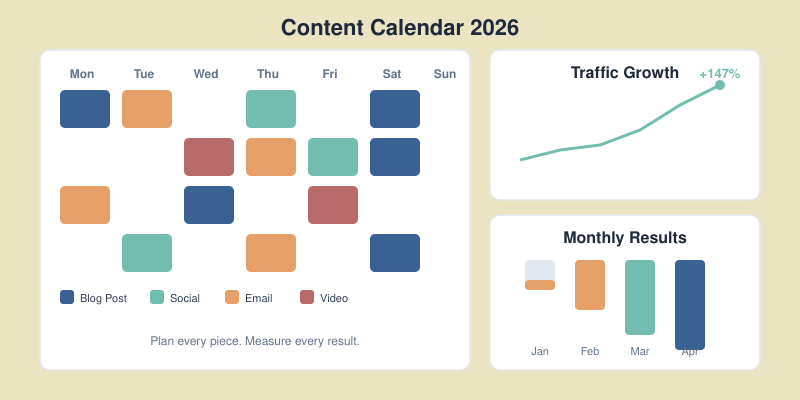
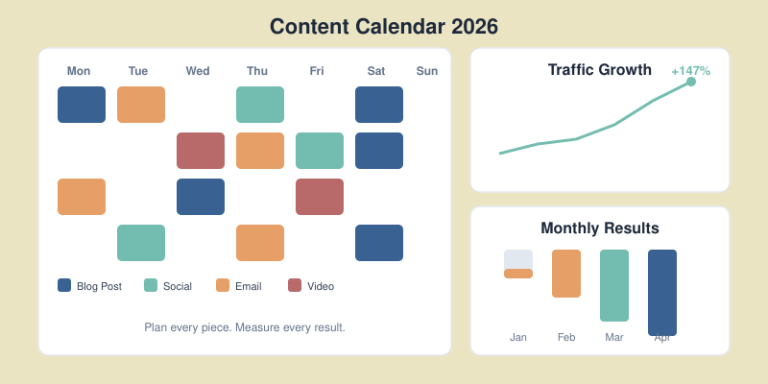
After restructuring our approach — starting with goals instead of topics — we increased organic traffic by 147% in the next quarter. The key wasn’t publishing more. It was publishing smarter.
In this guide, I’ll show you how to build a content calendar that’s tied to real business outcomes. You’ll learn the exact framework I use with clients, including the checkpoints that keep your strategy on track.
Before we build, let’s understand what goes wrong.
Problem 1: Focus on dates, not goals.
A calendar full of publishing dates feels productive. But if those dates aren’t connected to traffic targets or revenue goals, you’re just filling slots.
Problem 2: No feedback loop.
You publish, then move on to the next piece. Nobody checks if last month’s content performed. Bad strategies repeat indefinitely.
Problem 3: Random topics instead of strategic clusters.
Writing about whatever feels interesting leads to a scattered blog. Search engines reward topical authority — covering related subjects deeply, not random ones broadly.

If your current calendar has these problems, don’t worry. We’re going to fix all three.
Don’t open a spreadsheet yet. First, gather these inputs:
1. Clear business goals
What does success look like? More traffic? More demo requests? More purchases? Write down 1-3 primary goals.
2. Audience research
Who are you writing for? What problems do they have? What questions do they ask? Use customer interviews, support tickets, and forums like Reddit to build a picture.
3. Keyword research
You need a list of target keywords organized by topic cluster. Tools like Ahrefs, SEMrush, or even free options like Ubersuggest can help. Aim for 30-50 keywords to start.
4. Content audit
What do you already have? List your existing content, its current traffic, and which keywords it targets. You might have assets to update instead of creating from scratch.
With these four elements ready, you can build a calendar that actually drives results.
Here’s where most guides get it backwards. They start with “choose your topics” or “pick a template.” Wrong.
Start with the numbers you need to hit.

How much organic traffic do you want in 3, 6, and 12 months? Be specific.
Example:
Now work backwards. If you need 25,000 additional visits per month, and your average post brings 500 visits after 6 months of ranking, you need roughly 50 quality posts in your pipeline.
If your goal is leads, map the funnel:
This math tells you exactly how much content you need.
For e-commerce or affiliate content, calculate:
I use these calculations with every client. As a Google Analytics certified professional, I’ve found that teams who start with metrics outperform “publish and pray” teams by 3-4x.
Not all content serves the same purpose. Match your topics to where your audience is in their journey.

These readers don’t know you — and might not know they have a problem yet.
Content types:
Example: “What is Technical SEO? A Beginner’s Guide”
These readers know their problem and are researching solutions.
Content types:
Example: “Best SEO Audit Tools: 7 Options Compared”
These readers are ready to buy. They need the final push.
Content types:
Example: “How to Set Up Your First Campaign in [Your Tool]”
The balance: For most B2B blogs, aim for 50% awareness, 30% consideration, 20% decision content. Adjust based on your funnel data.
Now we create the actual calendar. I’ve used everything from Google Sheets to Notion to Asana. The tool matters less than the structure.

Every editorial calendar needs these fields:
| Column | Purpose |
|---|---|
| Title | Working headline |
| Primary Keyword | Main SEO target |
| Search Volume | Monthly searches (from keyword tool) |
| Buyer Stage | Awareness / Consideration / Decision |
| Status | Idea / Outlined / Writing / Review / Published |
| Publish Date | Target date |
| Author | Who’s writing |
| Goal Metric | What success looks like for this piece |
For teams serious about results, add:
| Column | Purpose |
|---|---|
| Content Cluster | Which topic group this belongs to |
| Internal Links To | Pages this should link to |
| Internal Links From | Pages that should link to this |
| Competing URLs | Top 3 ranking articles to beat |
| Promotion Plan | Distribution channels |
| 30-Day Traffic | Actual performance (update monthly) |
Google Sheets — Free, collaborative, flexible. I’ve used it since 2016 and it handles 90% of use cases. Best for teams under 10 people.
Notion — Better for combining calendar with content briefs and SOPs. Visual and modern. Best for async teams.
Asana/Monday — Best when content is part of larger project workflows. Adds task dependencies and timeline views.
Pick one and stick with it. Switching tools won’t improve your results — better planning will.
Here’s an unpopular truth: publishing frequency matters less than publishing quality.
One exceptional, well-promoted article beats four mediocre ones. I’ve seen blogs ranking with 20 posts outperform competitors with 200 because each piece was strategically chosen and thoroughly executed.

Be honest about resources:
| Team Size | Realistic Cadence |
|---|---|
| Solo | 2-4 posts/month |
| 1 writer + 1 editor | 4-8 posts/month |
| Small content team (3-5) | 8-16 posts/month |
Include these in your time estimates:
A 2,000-word quality post takes 15-25 hours total. Plan accordingly.
Things go wrong. Writers get sick. Topics need more research. Build 20% buffer into your schedule.
If you plan 8 posts per month, only commit to 6-7 in your public calendar. Use the buffer for updates, repurposing, or catching up.
This is the step most teams skip — and it’s the most important one.
A content calendar without review cycles is like driving without checking your mirrors. You’ll eventually crash.

Every week, answer:
Each month, analyze:
Action: Update your calendar based on findings. Double down on what works. Cut or revise what doesn’t.
Every quarter, zoom out:
In my experience, teams who do quarterly reviews grow 2x faster than those who “set and forget” their content strategy.
After building content calendars for dozens of clients, I’ve seen these errors repeatedly:
Overplanning
Don’t map out 12 months in detail. Things change. Plan 1 month firmly, sketch 2-3 months loosely, and keep 6+ months as themes only.
Ignoring the data
If something isn’t working after 3 months, change it. Too many teams keep publishing failing content because “it’s in the calendar.”
No promotion plan
Publishing is half the job. Every piece needs a distribution plan: social, email, outreach, internal links from existing content. Build this into your calendar.
Siloed creation
Writers shouldn’t work in isolation. Connect them to SEO data, customer feedback, and sales insights. The best content comes from collaboration.
Chasing trends over fundamentals
That viral format might get short-term attention. Evergreen, search-optimized content builds lasting traffic. Balance both, but prioritize fundamentals.
Plan 4-6 weeks in detail with assigned writers and deadlines. Sketch 2-3 months with topics and target keywords. Beyond that, maintain a prioritized backlog of ideas rather than fixed dates. This balances structure with flexibility.
Google Sheets works for most teams — it’s free, collaborative, and customizable. Notion is better if you want to combine your calendar with briefs and documentation. Use project management tools like Asana only if content is part of larger workflows.
Quality beats quantity. For most businesses, 4-8 well-researched, properly promoted posts outperform 20 thin ones. Match your cadence to your team’s capacity for creating genuinely valuable content.
Track three metrics monthly: organic traffic growth, keyword ranking improvements, and conversions (leads, signups, or sales from content). If all three trend upward, your calendar strategy is working.
Keep them separate but connected. Your editorial calendar handles long-form content strategy. Create a linked social calendar for distribution. This prevents your main calendar from becoming cluttered while ensuring promotion isn’t forgotten.
A content calendar that gets results isn’t about choosing the right template or the fanciest tool. It’s about connecting every piece of content to measurable business goals — and building in the checkpoints to keep your strategy honest.
Start with your metrics. Map content to the buyer journey. Build a realistic schedule with buffer time. And review your performance weekly, monthly, and quarterly.
Do this consistently, and you’ll stop wondering if your content is working. The data will tell you.
Your next step: Open a fresh spreadsheet. Add the essential columns from Step 3. Fill in your first month of content — tied to specific keywords and goals. Then set a calendar reminder for your first weekly check-in.
The best content calendar is the one you actually use. Start simple, iterate based on data, and watch your results compound.

Honest reviews of analytics tools, SEO tactics that actually work, and growth strategies for bootstrapped SaaS — no fluff, no affiliate bias.